



Internet Hunters is not affiliated with any internet provider mentioned in this article. Our information is independent, unbiased, and research-based, but prices and availability change, so confirm details with the provider before signing up.
Ask an internet provider what you need and you’ll almost always hear the same answer: more speed.
Ask the people who live with the connection and you’ll hear something different. 9 a.m. call that froze mid-sentence. The match lost to a lag spike. The movie night that buffered while someone upstairs downloaded a game. The bill that doubled after the first year.
None of those problems is really about the speed on the ad. Each one comes from a different weakness, and the fix depends on how your household actually uses the internet. Find the description that sounds like your home below. Each one tells you what to prioritize, what you can skip, and which guide to read next.
Find Your Household
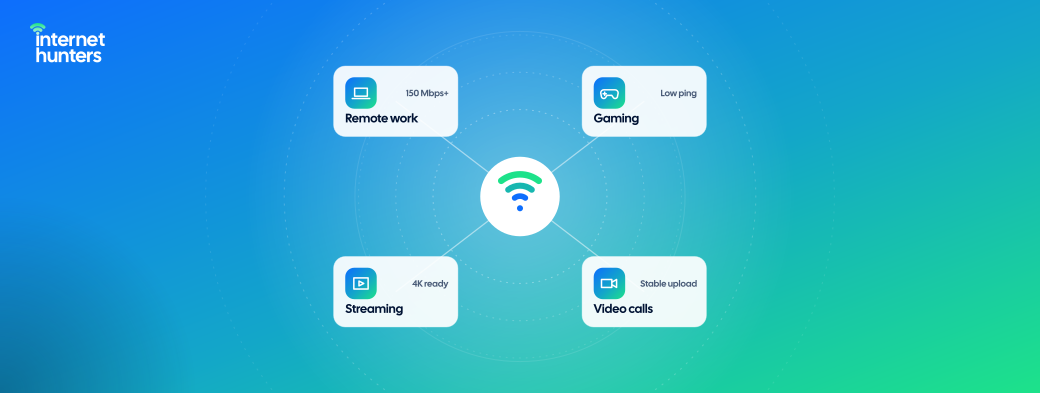
A connection can be good at five different things, and no household needs all of them equally:
- Upload: How fast can you send. It matters for video calls, cloud backups, and sending large files.
- Low lag: how quickly the connection responds. It matters for gaming and live calls.
- Whole-home Wi-Fi: strong signal in every room, not just near the router.
- Unlimited data: no monthly cap to watch.
- Flexible terms and low total cost: no contract, quick setup, and a price that holds.
Here’s what matters most for each type of household:
| Household | Upload | Low lag | Home Wi-Fi | Unlimited Data | Flexible Terms | Low Cost |
|---|---|---|---|---|---|---|
| Remote Worker | Must | Must | Helps | — | — | Helps |
| Gamer | Helps | Must | Helps | Must | — | — |
| Streaming household | — | — | Must | Must | — | Helps |
| Big family or smart home | Helps | Helps | Must | Must | — | Helps |
| Students and roommates | Helps | Helps | Helps | Must | Must | Must |
| Movers, renters and newcomers | — | — | Helps | — | Must | Must |
| Home business | Must | Must | Helps | Helps | — | — |
| Light users and older adults | — | — | — | — | Helps | Must |
Rural homes work differently: what reaches your address decides your options before anything else does. There’s a section for you below.
The Remote Worker
Sounds Like You If: you’re on video calls most days, share large files, and can’t afford a connection that drops at 2 p.m. You’re far from alone: about 26% of paid workdays in the US were worked from home in mid-2026.
What Actually Matters: steady upload, low lag, and a backup plan. A single call needs less than most people think. Microsoft says Teams can deliver HD video in under 1.5 Mbps, and when bandwidth runs short, it protects audio before video. Calls fail when something else in the house is uploading at the same time, or when the connection wobbles.
What You Can Skip: a gig plan bought only for video calls. Spend the money on a plan with stronger upload, or on a backup option.
Read next: Remote Work Internet: Upload Speed, Backup Options and a Pre-Move Checklist
The Gamer
Sounds Like You If: you play online, download huge game updates, or are curious about cloud gaming.
What Actually Matters: gaming is really three different jobs.
- Playing Online needs low, steady lag far more than speed.
- Downloading Games is where raw speed pays off, because modern titles run to tens of gigabytes. Unlimited data helps here too.
- Cloud Gaming streams the game to you like a video, so it needs both. NVIDIA’s GeForce NOW calls for 25 Mbps for 1080p at 60 frames per second and 40 Mbps for 4K. It also needs to lag under 80 ms to its data center, and NVIDIA recommends a wired or 5 GHz Wi-Fi connection.
What You Can Skip: paying for a faster plan to fix lag. If games lag on a fast connection, the cause is usually Wi-Fi or your router’s handling of busy traffic, not your plan.
Read next: Gaming Internet Guide: Speed, Ping, Latency and Stability
The Streaming Household
Sounds Like You If: every evening, two or three TVs are on, someone’s watching on a tablet, and live sports are non-negotiable.
What Actually Matters: steady Wi-Fi in every room you watch from, and no data cap. Streaming needs less speed than most people expect: YouTube recommends 20 Mbps for 4K and 5 Mbps for 1080p, and Disney+ suggests 25 Mbps for 4K. Three 4K streams fit comfortably inside most entry plans.
What You Can Skip: top-tier speed for streaming alone. If a TV buffers, check its Wi-Fi signal before you upgrade.
Read next: Internet for Streaming: How Much Speed 4K Really Needs
The Big Family or Smart Home
Sounds Like You If: you’ve lost count of the devices. Phones, tablets, consoles, cameras, speakers, a doorbell, a thermostat, and a robot vacuum all share one network.
What Actually Matters: Wi-Fi that covers the whole home and a router that can handle many devices at once. Security cameras quietly upload all day, so unlimited data and decent upload matter more than you’d guess. Parental controls and a separate network for smart gadgets keep things manageable and safer.
What You Can Skip: Buying speed before fixing coverage. A plan twice as fast won’t help a camera at the far end of the yard.
Read next: Internet for Large Families · Smart Home Internet Guide · Wi-Fi Coverage: Router Placement, Extenders and Mesh
Students and Roommates
Sounds Like You If: you’re splitting a bill with people you met last semester, and your lease ends in nine months.
What Actually Matters: no contract longer than your lease, unlimited data for several heavy users, and a clear plan for who pays and who keeps the equipment. Check first whether your dorm or building already includes internet.
What You Can Skip: a two-year deal, however good the promo looks.
Read next: Internet for College Students: Dorms, Shared Apartments and Splitting the Bill · Getting Internet Without an SSN or US Credit History
Movers, Renters and Newcomers
Sounds Like You If: you’re about to move, your lease is short, or you’ve just arrived in the US. You have plenty of company: roughly 37 million Americans changed their address in 2024.
What Actually Matters: flexibility. That means no contract, fast setup, equipment that’s easy to return, and options that work without a US credit history. Ask what the building already has before you order anything.
What You Can Skip: long-term discounts that lock you in past your lease.
Read next: Moving? Set Up Internet Before Move-In Day · Internet for New Homes and Apartments · Prepaid Internet Options Compared
The Rural home
Sounds Like You If: you live past the edge of town, and the cable company’s map stops a few miles short of your driveway.
What Actually Matters: what reaches your address. Rural Americans are still less connected: 71% of rural adults have home broadband, compared with 84% in the suburbs. Once you know your real options, weigh lag and data limits as carefully as speed.
What You Can Skip: advice written for city apartments. Your shortlist is different, and so are the trade-offs.
Read next: Internet for Rural Areas: Available Technologies and Solutions
The Home Business
Sounds Like You If: your income depends on being online, whether you run an online shop, a consultancy or a studio. About half of all US businesses are home-based.
What Actually Matters: uptime, upload and support. Have a backup connection ready, and know your provider’s outage policy before you need it. If you take payments on site, host clients on your Wi-Fi or run servers, read the residential terms of service or ask about a business plan.
What You Can Skip: a business plan you don’t need. Many freelancers and solo businesses do fine on a strong residential plan.
Read next: Internet for Small Businesses and Home Offices
Light Users and Older Adults
Sounds Like You If: you browse, email, video chat with family and watch one show at a time. Or you’re choosing internet for a parent.
What Actually Matters: reliability, simplicity and a price that stays put. Many older Americans aren’t connected at home at all: only 70% of adults over 65 have home broadband, compared with 87% of adults aged 30 to 49. And 16% of adults rely only on a smartphone. For a first home connection, simple equipment and phone support count for more than speed.
What You Can Skip: almost every upsell. A reliable entry plan is usually plenty.
Read next: What Home Internet Really Costs · Prepaid Internet Options Compared · How to Negotiate a Lower Internet Bill
When Your Home is More Than One of These
Most homes are a mix: a remote worker, a gamer and two streamers under one roof. When that’s you, two rules keep it simple.
Plan for Your Busiest Hour. Picture the moment when most people are online at once, often on weekday evenings. That’s the load your connection has to handle.
Let the most demanding person set priorities. If anyone works from home, upload and low lag go to the top of the list. If anyone games, low lag stays there. Then check Wi-Fi coverage for everyone else.
How Much Internet Speed Do You Need? walks through the math for mixed households.
Find the Right Connection for Your Life with Internet Hunters
Internet providers sell plans at a speed limit. Internet Hunters help you choose how you live.
We write independent, plain-English guides for every kind of household: the remote worker with back-to-back calls, the family with forty connected devices, the student with a nine-month lease, and the newcomer setting up a first US home. Our goal is simple: pay for what your home actually uses and skip what it doesn’t.
Your next step is the guide written for your household. Pick it from the “Read next” line under your section above, then use How to Choose Home Internet to turn what you’ve learned into the right plan at your address.
Bookmark Internet Hunters. Whatever your home looks like, we’ll help you connect it the right way.
Frequently Asked Questions
What kind of internet do I need for home use?
It depends on how your household uses it. Remote workers need steady upload and low lag; streaming households need whole-home Wi-Fi and no data cap, and renters need flexible terms. Find your household in the table above.
How do I choose the internet when everyone uses it differently?
Plan for your busiest hour and let the most demanding use set the priorities. A home with one remote worker should put upload and low lag first, even if everyone else only streams.
Can I play cloud games on regular home internet?
Usually, yes. GeForce NOW needs 25 Mbps for 1080p and 40 Mbps for 4K, plus lag under 80 ms to its servers. A wired connection or 5 GHz Wi-Fi helps.
What matters most for working from home?
Steady upload, low lag and a backup plan. A single HD call needs only a few Mbps, so reliability matters more than raw speed.
What’s the best internet for an older parent?
A reliable entry plan with simple equipment, phone support, and a price that doesn’t jump. Most light users don’t need a fast plan.


