



Internet Hunters is not affiliated with any internet provider mentioned in this article. Our information is independent, unbiased, and research-based, but prices and availability change, so confirm details with the provider before signing up.
Internet plans are sold at speed, and the jump from one tier to the next can add a lot to your bill. Too little speed means buffering and frozen video calls. Too much means paying every month for a capacity you never use.
This guide shows you how to estimate the speed your household actually needs. It covers how much bandwidth common activities use, how to add up your busiest hour, and why upload speed deserves attention.
Why the Right Speed Varies
Two households on the same street can need very different plans. The answer depends on:
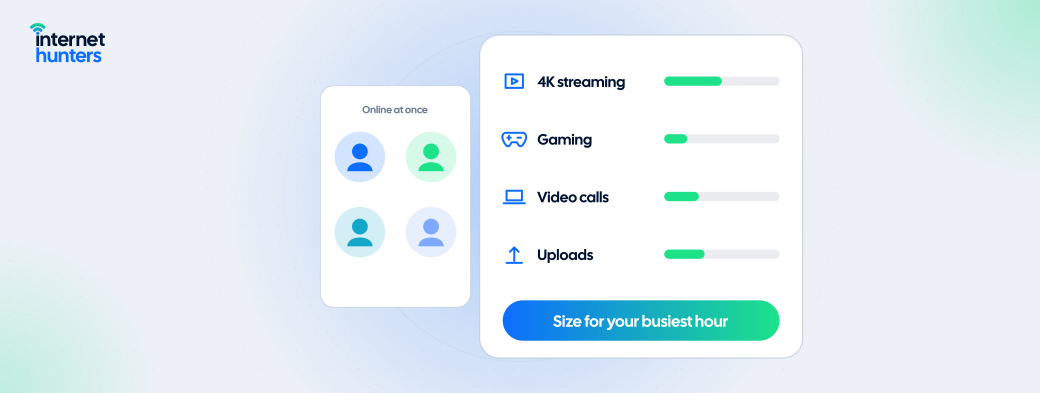
- How many people are online at once; not how many people live in the home.
- Video quality: 4K streaming uses several times more bandwidth than HD.
- Uploads: Video calls, cloud backups and content creation depend on upload speed.
- Home Wi-Fi: A slow router or poor coverage can limit any plan.
- Connection type: Fiber, cable, and 5G home internet handle upload and peak times differently.
1. Understand Download and Upload Speed
Download speed affects streaming, browsing, and downloading files. Upload speed affects video calls, sending large files, and backing up photos. Many cable plans offer much lower upload than download speeds. Fiber plans often offer matching speeds in both directions. Our guide to Types of Internet Connections explains these differences.
2. Know What Common Activities Use
| Activity | Approximate Speed Needed |
|---|---|
| Web browsing and email | A few Mbps |
| Music streaming | Under 1 Mbps |
| HD video streaming (720p) | 3 Mbps download |
| Full HD streaming (1080p) | 5 Mbps download |
| 4K streaming | 15 Mbps download |
| Group video call, 720p | 1.5 Mbps up and down |
| Group video call, sending 1080p | 3 Mbps up and down |
| Online gaming (gameplay) | Low bandwidth; latency matters more |
| Game downloads and cloud backups | As much as you have |
Netflix recommends 3 Mbps or more for HD, 5 Mbps or more for full HD and 15 Mbps or more for 4K Ultra HD. See Netflix's speed recommendations. For group video calls, Zoom recommends about 2.5 Mbps to receive 1080p video and 3.0 Mbps to send it, while audio-only calls use roughly 60–80 kbps. See Zoom's bandwidth requirements.
3. Add Up Your Busiest Hour
Think about the hour when your household is most active, often weekday evenings:
- List everything that happens at the same time.
- Add up the speed each activity needs.
- Add headroom for background activity, app updates and growth. An extra 25–50% is a reasonable starting point.
Example household
Here's a made-up household's busiest hour:
- Two adults on separate HD video calls: about 3 Mbps download and 3 Mbps upload combined.
- One 4K stream on the TV: 15 Mbps.
- A teenager gaming while a game update downloads: a few Mbps for play, plus whatever the download uses.
- Phones syncing photos and apps in the background: a few Mbps.
Steady use comes to roughly 25–30 Mbps download, plus bursts from downloads. With headroom, a plan in the 100–300 Mbps range would handle this comfortably and finish large downloads faster. Upload needs are modest, but backups would benefit from more.
4. Speed Tiers at a Glance
| Plan Speed (Download) | Generally Suits |
|---|---|
| Under 100 Mbps | One or two light users: browsing, HD streaming, occasional calls |
| 100–300 Mbps | Most households of two to four people, including remote work |
| 300–500 Mbps | Larger households, frequent 4K streaming and large downloads |
| 1 Gbps and above | Large households, heavy uploads, frequent large file transfers |
These ranges are general guidance. Your household's busiest hour matters more than the number of people.
5. Don't Overlook Upload Speed
If anyone in your homework remotely, uploads videos, streams gameplay or relies on cloud backups, compare upload speeds as carefully as download. A plan with fast downloads but limited upload can still struggle with video calls when several people are online. The Broadband Facts label lists typical upload speed for every plan. See our guide to How to Read the Broadband Facts Label.
6. When a Faster Plan Won't Help
More speed won't fix every slowdown:
- Weak Wi-Fi: Distance, walls and older routers can cut speeds well below your plan.
- Older devices: Older phones and laptops may not use high speeds.
- Latency issues: Lag in games and calls is often about responsiveness, not bandwidth.
Before upgrading, run a wired speed test using our guide to How to Run and Interpret a Speed Test. Our Why Is My Wi-Fi Slow? guide covers fixes inside your home.
7. Leave Room to Adjust
If your plan has no contract, start with a tier that covers your busiest hour plus headroom. Upgrade only if you run into real limits. Check how plan changes affect pricing, since moving between tiers can reset a promotion.
Pay for the Speed You'll Actually Use
The right plan covers your household's busiest hour with room to spare, without paying for unused capacity. A few minutes of adding up your real activity can make that choice much clearer.
Internet Hunters help you understand speeds, technologies, and plan terms before you buy. Explore our guides to choose home internet that fits how you live.
Frequently Asked Questions
Is 100 Mbps enough?
For many small households with HD streaming and occasional video calls, yes. Larger or busier households may want more.
Is gigabit internet worth it?
It helps households with many simultaneous users or frequent large uploads and downloads. Many households won't notice a difference over a mid-tier plan.
How much speed do I need to work from home?
Video calls use only a few Mbps each, but upload speed and stable latency matter. Consider everyone else online at the same time.
How much speed do I need for gaming?
Gameplay uses little bandwidth. Low, steady latency matters more, while faster speeds mainly shorten game downloads.
Do more devices mean I need more speed?
Only if they're active at the same time, idle smart devices use very little bandwidth.


